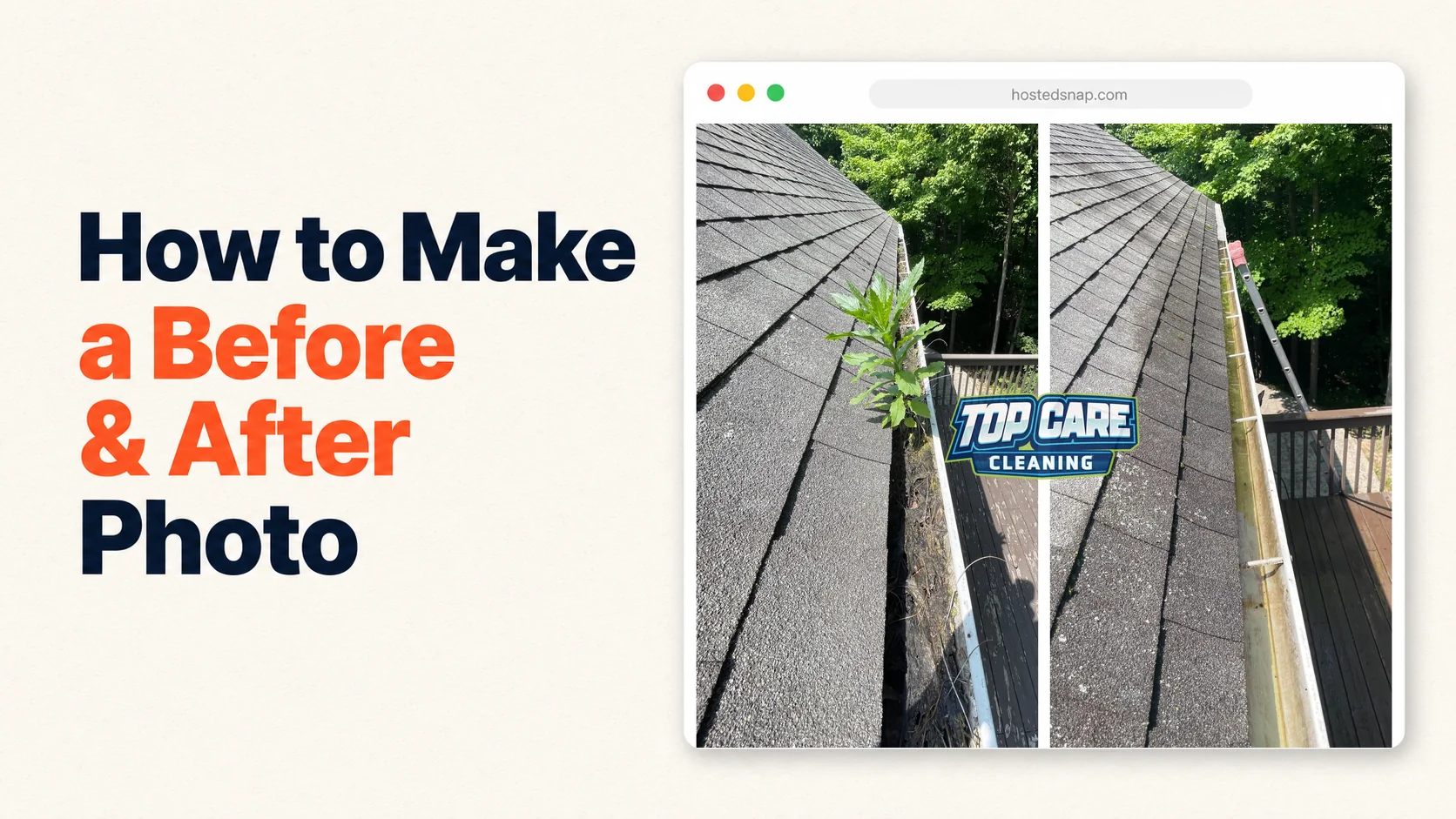
I've been hunting for a decent before and after photo maker for four years. I run marketing at Top Care Cleaning — my family's pressure-washing, gutter-cleaning, roof-cleaning, and window-cleaning company in Grand Rapids, Michigan, started by my dad and uncle back in 1980. Every job we do produces a transformation worth posting. The problem isn't the photos. The problem is the tools. I've used the watermarked ones, the signup-wall ones, the deceptive-UI ones, and the influencer-tool-priced ones. This is what I learned.
What a Two-Photo Tool Actually Needs to Do
The right tool should take two photos, line them up, render them as one shareable image in under 30 seconds, and let you post it without paying $40 a month or stamping someone else's logo across your customer's house. Anything beyond that is feature creep. Anything less than that is a freight train to a pizza you didn't order.
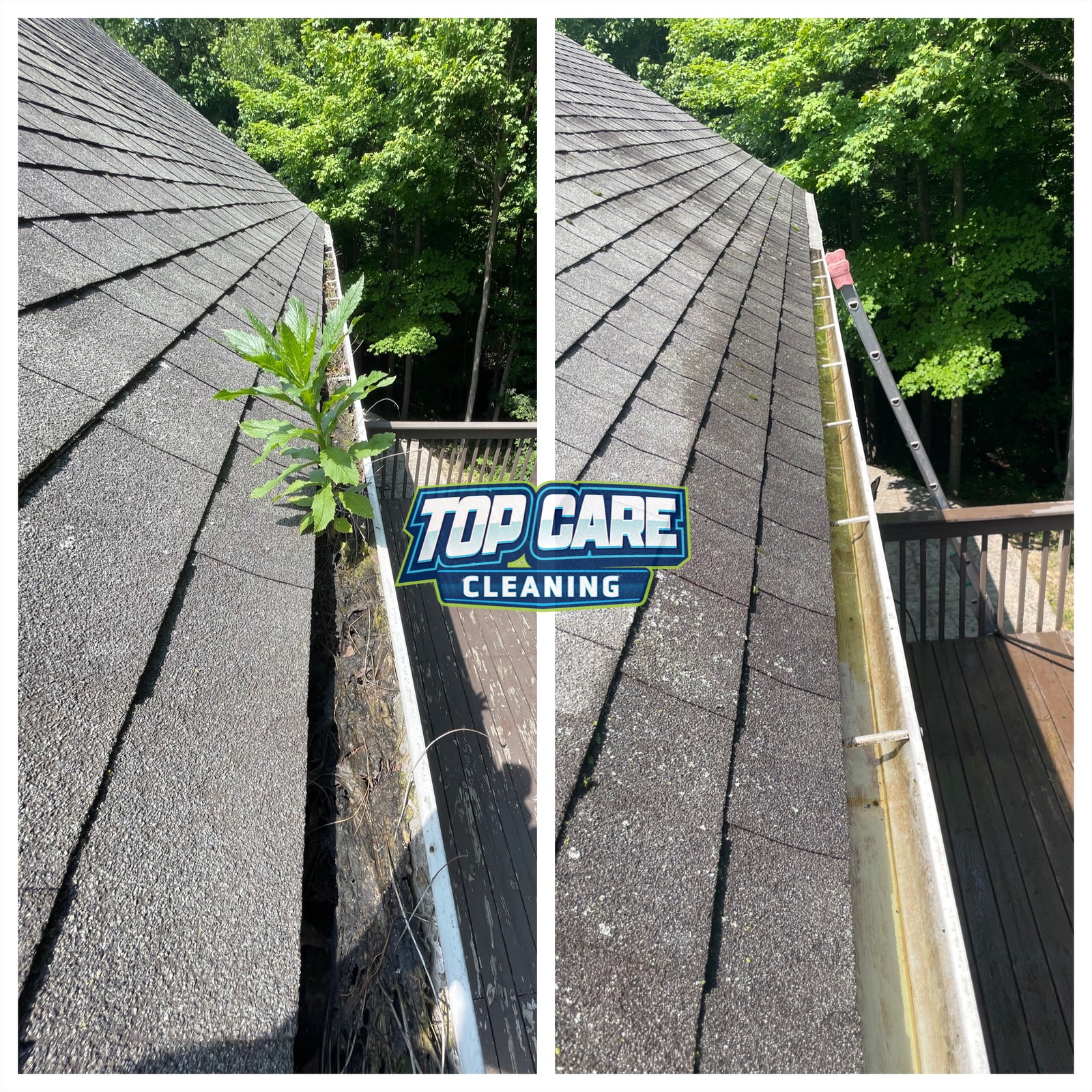 Real before-and-after from Top Care Cleaning (Grand Rapids, MI) — a clogged residential gutter on the left, hand-cleaned and flushed on the right. This is the exact kind of two-photo post our techs make in a before and after photo maker after every job.
Why I Wrote This Guide Instead of Just Picking One
The first time I searched "free before and after photo maker," I clicked through eight different tools in one afternoon. Three made me create an account before I could see the output. Two stamped a watermark across the bottom of my customer's siding. One offered a 7-day "free trial" that auto-billed at $29.99/month. One was free, but the result was so deceptively cropped that the after photo had been zoomed in to make the before look worse — a thing I'd never knowingly post. And one was genuinely fine, but had an editor priced for influencers, not contractors.
That afternoon cost me three hours and exactly zero usable photos. So I built one myself, and along the way I figured out what the category actually needs. This pillar is the honest version of what I'd tell a friend who runs a service business and asks me "what do you use?"
I'll cover what to look for, what to avoid, the five jobs a real photo merger has to handle, why most tools fail at one of those jobs, and how I think about tool choice in a service business that's been running for 45 years. If you want my one-line answer up front: pick the most boring tool that does the job without making you pay or sign up. You'll post more if the friction is lower. That's the whole game.
What is a before and after photo maker? (Quick Answer)
A before and after photo maker is an app or website that takes two photos — typically a "before" and an "after" of the same subject — and merges them into a single image with a divider down the middle, ready to post on Google Business Profile, Instagram, Facebook, or your website. Good ones are free, watermark-free, and finish in under 30 seconds. Bad ones gate you behind email forms and subscriptions.
The Five Jobs a Before and After Photo Maker Has to Handle
I've narrowed the must-have functionality down to five. Most tools fail at two or three of these. The few that handle all five honestly are the ones worth using.
Job 1: Render two photos as one composite
This is the core job. Two source photos go in, one image comes out, with a visible divider so the viewer's eye registers the split immediately. Sounds obvious. Half the tools I tried treated this as a side feature buried under "photo collage" or "scrapbook layouts." If the tool you're evaluating opens with stickers and frames, leave. The core job should be the first thing you see.
Job 2: Handle vertical and horizontal layouts
Roof photos are usually horizontal. Driveway photos are usually horizontal. Gutter photos are usually vertical. Window photos can be either. A real photo merger handles both layouts in one click, not two separate products with different pricing.
Job 3: Output at a resolution that doesn't look terrible on Instagram or Google
Google Business Profile recommends at least 720 × 720 pixels for square posts. Instagram wants 1080 × 1080 for feed posts. Anything below those numbers looks compressed and amateur on a phone screen. A good tool exports at 1200 × 1200 minimum and doesn't ask you to upgrade for "HD" export.
Job 4: Keep the original aspect ratio of each photo
This sounds nerdy, but it matters. If you took a vertical phone photo of a clogged gutter, the after photo of the cleared gutter should match that same aspect ratio. Tools that auto-crop one photo to match the other ruin the comparison. The viewer's brain registers "this is the same angle, the same house, the same day" — and crop manipulation breaks that registration.
Job 5: Skip the logo stamp, the watermark, and the signup gate
This is where most "free" photo mergers reveal themselves. The output is technically free, but it has someone else's brand stamped across the bottom corner. Or the export is gated behind an email signup that pipes you into a sales sequence. Or the watermark is removable for $19.99/month, billed annually, no refunds. None of that belongs in a tool that's supposed to take 30 seconds.
Why Most of These Tools Fail
I want to be careful here, because I don't want to call out specific tools by name — the category churns fast and some of these have improved. But I can describe the patterns I keep running into, and you'll recognize them when you see them.
The Watermark Pattern
The tool is free. The output has a 100-pixel banner across the bottom that reads "Made with [Tool Name]." It's their growth loop. Every photo you post becomes a billboard for them. Fine for a hobby app. Not fine for a service business posting on their own Google Business Profile, where the implicit message becomes "I couldn't afford a real tool, so I used this free one with their logo on it."
The Signup-Wall Pattern
You spend 90 seconds setting up your composite. You hit export. A modal pops up: "Create a free account to download your photo." You signup with a throwaway email. You then get five marketing emails over the next week about "upgrading to Pro." The composite was free. Your inbox was the price.
The Deceptive-UI Pattern
This one is the worst. The free tier appears to work — until you hit export, and the result is intentionally low resolution or cropped poorly. The fix is a $9.99 one-time "HD export" purchase. Sometimes it's a "save without watermark" upsell. The pattern is the same: the tool works just badly enough that you'll pay rather than start over.
The Freight-Train-to-Pizza Pattern
You sign up for what's advertised as a free photo merger. You confirm your email. You land on a dashboard with 47 features, three onboarding popups, a guided tour, a webinar invite, and a banner asking you to book a strategy call. Somewhere buried under all of that is the actual photo merger. By the time you find it, you've forgotten what you came for. The tool is fine. The journey is a freight train. You wanted a before-and-after photo. They sold you the pizza you didn't order.
The Influencer-Tool-Priced Pattern
The tool is great. The output is clean. The UI is fast. The price is $39/month, paid annually, and the marketing copy is full of "creator economy" language and "unlock your brand potential" buzzwords. It's clearly priced for people who make money from photos — influencers, creators, agencies. Contractors don't make money from photos. We make money from clean houses, dry roofs, and clear gutters. Paying influencer prices for a 30-second tool is a tax I'd rather not pay.
How I Actually Use This Kind of Tool in My Cleaning Business
Here's the boring truth: I use one on my phone, in the truck, while my brother loads the equipment. Total time per post is about two minutes. Two photos in, one composite out, posted to Google Business Profile before we pull out of the customer's driveway. Multiply that by 8-12 jobs per week and you have a steady stream of proof posts going to the algorithm Google rewards.
The workflow is dead simple. Tech takes a before photo when they arrive — wide shot, no weird angle, just the surface or area we're cleaning. Same tech takes the after photo from the same spot when they're done, same wide shot, same angle. Both photos go into the photo maker. Output is a side-by-side. Caption is one sentence: "Today in Walker, MI — concrete driveway pressure wash. Booked online at topcarecleaning.com." Post. Move on.
That's it. That's the entire system. The tool just has to not get in the way. Every minute it adds to the workflow is a minute my tech doesn't post the next job. Every signup wall, every watermark, every "upgrade to remove" prompt makes it less likely the photo gets posted at all.
The Five Categories of Tools (and Where to Find Them)
When you search for one of these tools, you'll land on five different categories. Knowing which category you're in saves time.
Web-Based, Free, No Signup
This is the category I built for, and it's the smallest. A handful of tools let you drop two photos in a browser, see the composite immediately, and download without making an account. Hosted Snap (the tool I built) lives in this category. If your priority is speed and you don't want yet another account, start here.
Web-Based, Free, Email Required
The largest category. You can use the tool for free, but you have to register first. Output is usually unwatermarked. Trade is your email — expect 3-7 marketing emails before they go quiet.
Web-Based, Freemium
A free tier with watermark or low-resolution export, paid tiers from $9-29/month. Common in the "design platform" category that includes hundreds of templates and a before/after layout buried somewhere in the menu.
Mobile App, Free with In-App Purchases
App store offerings. Free download, full features locked behind $4.99-$9.99 in-app purchases or a $39/year subscription. Some of these are excellent. Some are terrible. Read the reviews carefully — look for reviews mentioning the actual before/after output, not just the UI.
Mobile App, Pro/Subscription
Photo editors built for serious mobile content creation. Powerful, polished, expensive. Overkill for a service business but the right tool if photos are your business.
What I Recommend to Other Service Business Owners
If you're a service business owner reading this — cleaning, landscaping, painting, roofing, pressure washing, whatever — here's the honest recommendation. Start with the free, no-signup category. You don't need the powerful tool. You need the boring tool you'll actually use 50 weeks a year.
Pick one. Save the URL to your phone home screen. Train your techs to take the before photo on arrival and the after photo when they finish. Make it a habit. Post one composite per job. The compound effect over six months is more valuable than any one tool's feature set.
If you find yourself wishing for "more advanced" features — captions overlaid, logos baked in, custom dividers, color grading — pause. The advanced features rarely move the needle on Google Business Profile or local Facebook groups. The thing that moves the needle is volume. One simple before-and-after per job, every job, for a year. That's what wins.
When the Free Tools Aren't Enough
I want to be fair here. There are situations where a free, no-signup tool isn't enough. If you're running paid ads and need branded creative, you'll want logo overlays and color matching. If you're producing case-study content for a website, you may want higher-resolution exports and metadata control. If you're running a content business on Instagram, you may need the influencer-tier tools genuinely.
For 95% of service business owners — local cleaners, landscapers, contractors, painters, roofers, pressure washers — the basic free tool is more than enough. The ROI curve flattens fast above "two photos, one composite, no watermark, no signup." Spending more time on the tool doesn't get you more jobs. Spending more time taking better photos does.
The Top Care Workflow in Detail
Here's exactly how we do it at Top Care Cleaning, in case it's useful as a template.
Tech arrives at the job. Pulls phone out. Takes one before photo — wide, no fancy framing, just shows the area we're about to clean. They text it to themselves so they don't lose it.
Tech does the job. Driveway gets pressure-washed, or the gutter gets hand-cleaned, or the roof gets soft-washed, or the windows get done. Standard work.
Tech finishes. Pulls phone out again. Stands in roughly the same spot as the before photo. Takes the after photo. Doesn't fuss over composition. Just gets the after.
Tech opens our photo merger on their phone browser. Drops both photos in. Composite renders in under 10 seconds. Saves to phone camera roll. Posts to Google Business Profile with a one-line caption: "Today in [neighborhood], [city] — [service]. Booked at topcarecleaning.com." Posts the same photo to our Facebook page.
Total time from finishing the job to having the post live: under three minutes. Total cost: zero. Total volume over a season: 200-400 before-and-after posts on Google Business Profile, all from real customer homes.
The math is what matters. Two hundred posts a year, each one showing a real transformation, on the platform Google Maps users trust most, with no watermark from a tool company siphoning attention. Compare that to spending $400/month on an influencer-priced editor that you'll abandon in three weeks because the workflow has too many steps.
How a Before and After Photo Maker Fits Into a Local SEO Strategy
I'll connect this back to the bigger picture, because it's the reason any of this matters. Google Business Profile is the single highest-ROI marketing channel for a local service business. Local pack rankings are influenced by review velocity, post frequency, photo recency, and category signals. A regular cadence of before-and-after photo posts hits three of those signals at once.
It also gives you a content engine that produces social posts without you having to think. Instead of staring at a blank Facebook page wondering what to write, you post the day's before-and-after. The work generates the content. The content generates the trust. The trust generates the calls. That's the whole machine.
The merger itself is the smallest possible piece of that machine, but it's the piece that has to not break. If the tool is slow, your techs won't use it. If the tool is gated, your techs won't bother. If the tool stamps a watermark, your customers will notice and trust drops. The tool has to be invisible — fast, free, unbranded, and dead simple.
That's why I keep coming back to the boring recommendation. Pick the dullest, fastest, least-aggressive tool. Use it 200 times a year. Watch what happens.
A Note on Pros vs Free Tools
I built Hosted Snap as a free, no-signup, watermark-free version because that's the tool I wanted and couldn't find. It's not a Pro tier. There's no upsell. There's no email gate. It's free forever because the actual business is the bigger Hosted Stack — software for local service businesses including review collection, postcard marketing, and websites. The free tool is a way to be useful to the people who'd eventually be the right fit for the paid products.
You don't have to use it. The point of this guide is: whatever tool you pick, make sure it passes the five-job test. If it fails any of them, find another one. The category has enough options that you don't have to settle.
The boring tool is the right tool. Pick one and post 200 times this year.
Common Questions
Is the free version actually good enough for business use?
For 95% of service-business posting on Google Business Profile, Facebook, and Instagram, the free tier is more than enough. The features that justify paid tools — logo overlays, brand color matching, high-end export — rarely move the needle on local lead generation. Post volume matters more than per-post polish.What resolution should the output be?
Aim for 1200 × 1200 pixels or higher for square outputs. Google Business Profile recommends 720 × 720 minimum, Instagram wants 1080 × 1080 for feed posts. Most modern phone cameras produce photos at 3000 × 4000 — so your source material is fine. The tool just has to not downsample the export.Do I need to add a watermark to my own photos to protect them?
No. Customers occasionally ask about photo theft from competitors, but the real risk is overstated. Your competitors aren't going to post your customer's house as their own work — the addresses are visible in local Facebook groups and someone will out them. Watermarking your own photos adds visual clutter and doesn't deter actual misuse. Skip it.Should I use a phone app or a web tool?
Either works. Phone apps are slightly faster once installed because you don't have to open a browser tab. Web tools are faster initially because there's nothing to install. For team workflows where multiple techs need the same tool, web tools win — no install instructions, no app store updates, no "which version are you running" support requests.Can I post a two-photo composite on Google Business Profile?
Yes. Google Business Profile accepts photo posts up to 5 MB at 720 × 720 minimum. Two-photo composites work well. Post them as standard "What's new" posts with a one-line caption mentioning the neighborhood and service. Aim for 1-3 posts per week — enough to signal freshness without spamming the feed.How do I take a good before photo without making the after look fake?
Same angle, same distance, same time of day if possible. Stand in one spot when you take the before, then return to that exact spot for the after. Don't crop one and not the other. Don't apply filters to one and not the other. The goal is "obviously the same place," not "best possible angle." Authenticity beats artistry on local platforms.What's the minimum I should pay for one of these tools?
Nothing. The free, no-signup category has tools that handle the five core jobs without trade-offs. Pay for editing tools when you're building a brand identity at scale — for everyday service business posting, free is correct.What to Do Next
You can try the tool I built — drop two photos in at Hosted Snap and you'll see a composite in 10 seconds, no signup, no watermark. Or pick any other tool that passes the five-job test. The brand doesn't matter. The habit does.
If you're a service business and want to go deeper on the strategy of using before-and-after content for local SEO, the combine two photos side by side guide walks through the actual posting cadence and caption patterns we use at Top Care. The side by side photo guide breaks down which two-photo formats actually win on Google Business Profile. And the free photo merger tool guide covers the broader category of merging two photos into one for any use case, not just before/after.
About Alex Host
I'm Alex Host. I run marketing for Top Care Cleaning — my family's pressure-washing and exterior-cleaning business in Grand Rapids, Michigan, started by my dad and uncle in 1980. Four hundred-plus Google reviews. Forty-five years of customer work.
Alongside Top Care, I build software at Hosted Brands — the parent company behind Hosted Snap (the free tool you're reading about), Hosted Reviews, Hosted Proof, and the rest of the Hosted Stack. Everything I build is the tool I wished I'd had at Top Care five years ago.
Hosted Snap is free forever. No signup. No watermark. No upsell. It exists because the alternatives kept failing the five-job test, and I got tired of waiting for someone else to fix it.