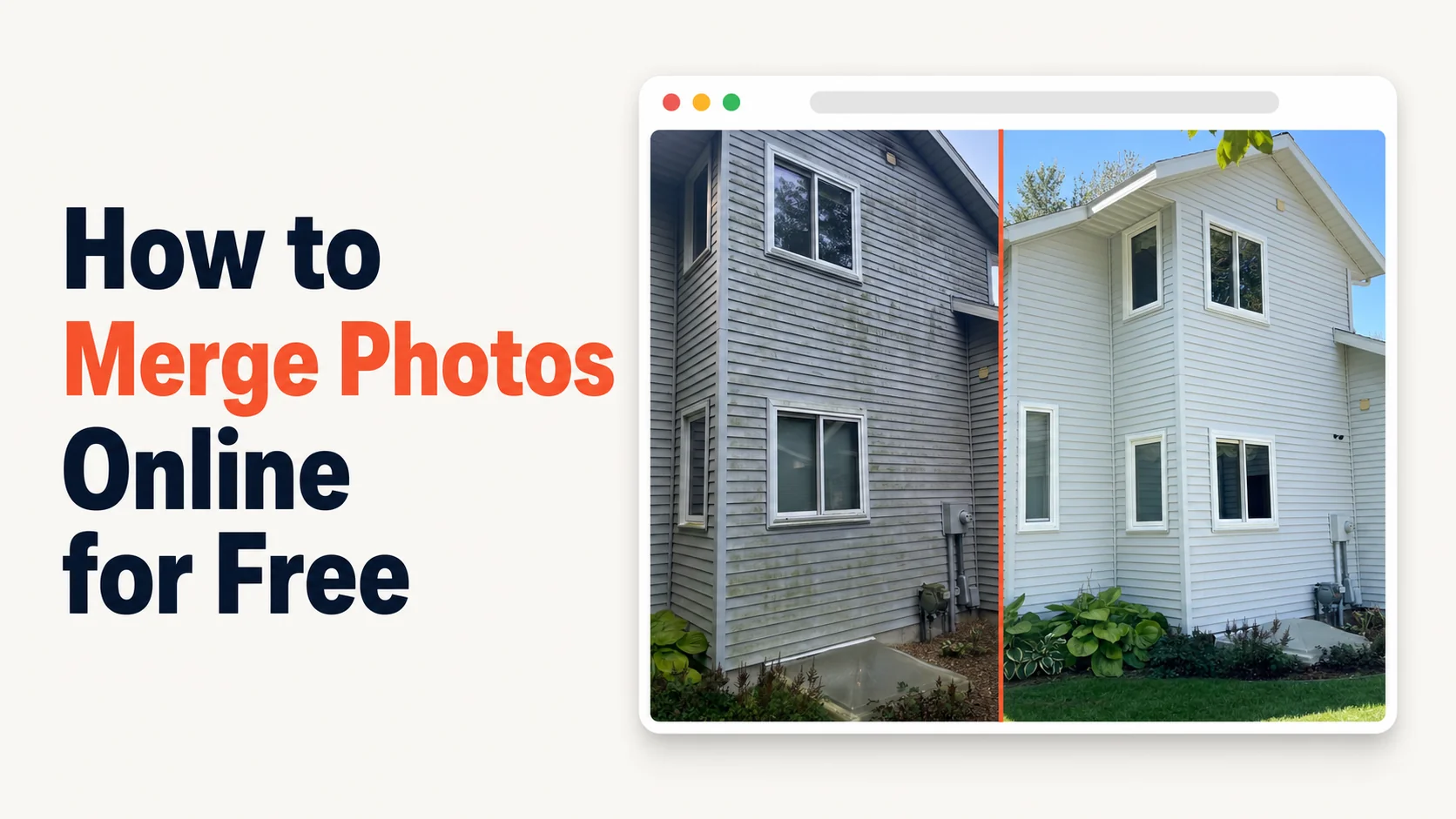
I've spent about $1,800/year subscribing to tools that promised a free photo merger online and then ambushed me with a watermark, a 7-day trial, or a $14.99/month "Pro" plan after the first export. I run a cleaning business in Grand Rapids. I needed to merge two photos into one image — a before and an after — and post them on Google Business Profile. That's it. So I built the tool I wish had existed. It's free. It stays free.
What is the best photo merger online free?
The best photo merger online free lets you upload two photos, drag them into a side-by-side or before/after layout, and download the merged image in under 60 seconds — no watermark, no signup wall, no subscription pitch on the export button. Most "free" tools fail at least one of those checks. Hosted Snap passes all of them.
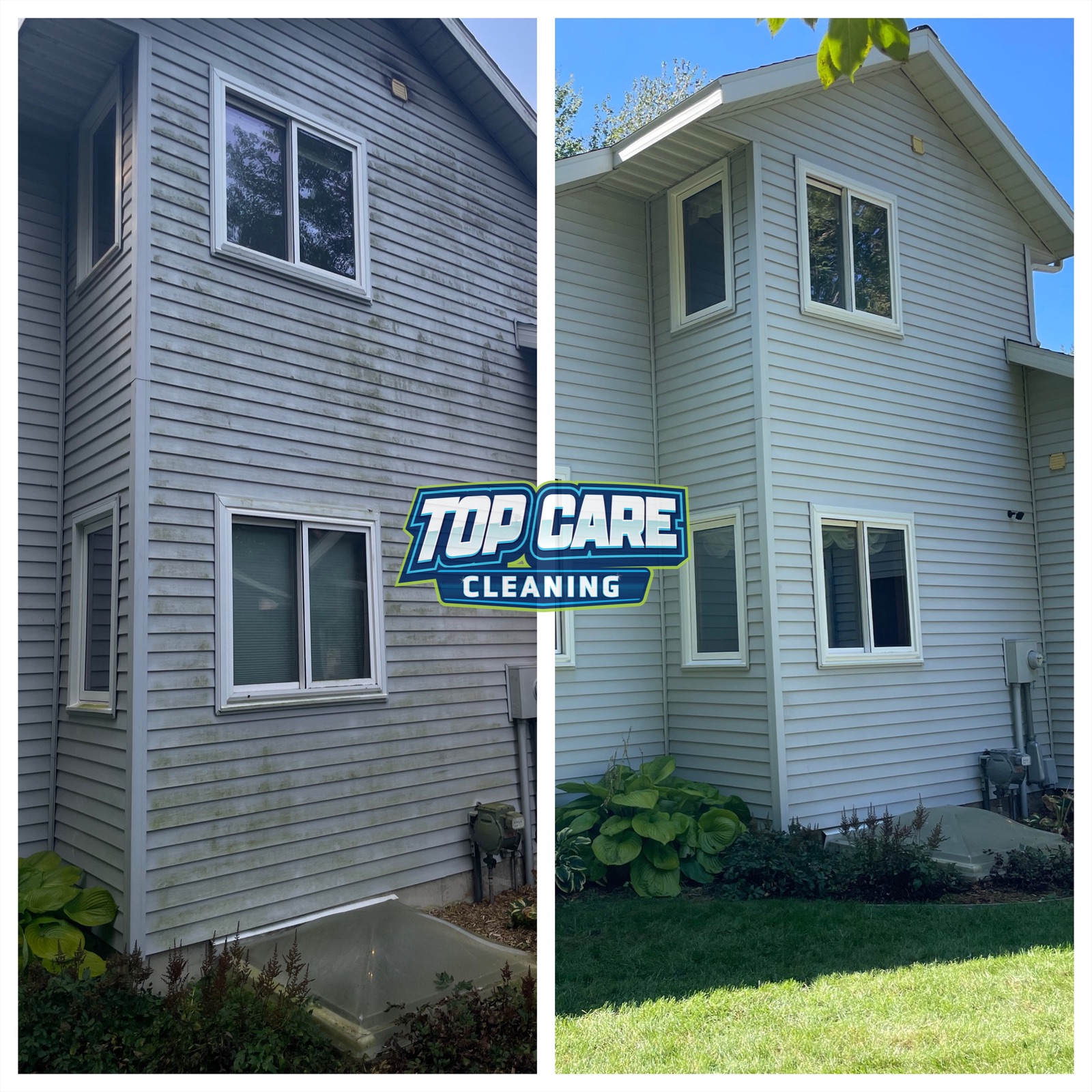 Real before/after from Top Care Cleaning (Grand Rapids, MI) — a grey house wash where I needed both photos in ONE image for the Google Business Profile post. Took 30 seconds to merge using a free tool that didn't ask for my email.
Why Most "Free" Photo Mergers Aren't Actually Free
I tried at least eight of them before I gave up and built my own. Every single one had a catch. The catch is always the same shape — get you to the export button, then move the goalposts.
The first pattern is the watermark. You drop two photos into the merger, line them up, click download, and the result has a logo plastered across the bottom corner of YOUR work. I'm a service-business owner. I'm posting these photos on my own Google Business Profile. There's already a logo on the post — it's mine. I don't need someone else's branding pretending it deserves credit for my house-wash job.
The second pattern is the signup wall. You can build the merged image, but you can't download it until you create an account and verify your email. Then the "free" version turns out to be three exports a week and a watermark on each. I'm not giving a SaaS company my email so I can post a before/after photo on a Tuesday.
The third pattern is the deceptive UI. The download button is grayed out next to an active "Upgrade to Pro" button. The interface is engineered so you almost click Pro by accident. Some of these tools price the Pro plan at $14.99/month. That's $180/year for the privilege of merging two JPGs. I had a number. The number was zero.
The fourth pattern is the freight-train-to-deliver-a-pizza problem. You search "photo merger online free" and land on a tool that's actually a full design suite — templates, fonts, brand kits, social media schedulers. To merge two photos you have to navigate three menus, pick a template, learn what an artboard is, and then export. I just want to drop two photos into a box and download the result. The tool I needed was a kitchen knife. They kept selling me a Swiss Army knife with a 30-day return policy.
That's where this whole project came from. I wasn't trying to disrupt anyone. I was trying to post a photo of a clean house on Google.
What a Good Online Photo Merger Should Actually Do
After building one myself, I have opinions. A free online photo merger has exactly one job: combine two images into one image, then let you download it. Everything else is overhead.
Here's the four-criteria test I run on any "free" tool I evaluate now. If a tool fails any of them, it's not actually free.
Criterion 1: No watermark on the export. The merged image should look like something I made, not something a SaaS company made. If a logo appears, the tool isn't free. It's free-with-permanent-advertising-attached.
Criterion 2: No rate limit on the free tier. Some "free" mergers cap you at three exports a month. That's a free sample, not a free product. A truly free tool lets me merge 100 photos in a row if I want.
Criterion 3: No deceptive upgrade UI. The download button should be the obvious button. It shouldn't be smaller than the Pro upgrade button. It shouldn't be a different color. The path to a finished merged image should be the shortest path on the page.
Criterion 4: Honest pricing transparency. If there IS a paid tier, the page should say what's free and what's paid before I upload anything. I shouldn't discover the catch on the export screen.
I built Hosted Snap to pass all four. The free tier has no watermark, no rate limit, no deceptive UI, and honest pricing transparency — the homepage states what's free up front, no influencer-tier subscription required.
How to Merge Two Photos Into One Image, Free, in Under 60 Seconds
I'll walk through the exact flow I use to merge a before and after from a Top Care Cleaning job. The same flow works for any two photos — renovation shots, product comparisons, fitness progress, anything.
Step 1: Pick your two photos before you open any tool
This sounds obvious. It saves you 20 minutes of frustration later. Most failed merges are upstream of the merger — they're a photo problem, not a tool problem.
Your two photos should be shot from roughly the same angle and roughly the same distance. If the before photo is shot from 10 feet away and the after is shot from 2 feet away, no merger on the planet will make them look like a clean comparison. They'll look like two unrelated photos jammed together.
For a Top Care house-wash job, I take the before photo from the same spot in the driveway. After the wash, I walk back to the same spot. Same angle, same distance. Same time of day if possible. That's 90% of the work. The merger is just the last 10%.
Step 2: Open a tool that doesn't ask for your email
Go to a free online photo merger that doesn't gate uploads behind a signup. You should be able to land on the page and immediately see two upload slots — one for the before, one for the after. If you have to click "Sign Up" before you see the upload slots, close the tab.
The point of a free tool is friction removal. Account creation is friction. A tool that adds friction in exchange for "free" isn't free.
Step 3: Upload both photos and pick a layout
A photo merger online free should give you three layout choices and nothing else:
- Side-by-side (two photos, vertical divider)
- Stacked (two photos, horizontal divider)
- Before/after with labels (side-by-side or stacked, with the word "Before" on one and "After" on the other)
If a tool offers 47 layouts, it's not a photo merger. It's a design app pretending to be a photo merger. Pick the layout that matches your use case and move on.
For a Top Care house-wash post on GBP, I use side-by-side with labels. It looks like the work, not like a brochure.
Step 4: Adjust the divider, then download
Some mergers let you drag the divider to crop the two photos to the same proportions. Use it. A 60/40 split where the after gets more room makes the after pop — which is the point.
Then click download. The merged image should land in your downloads folder as a PNG or JPG. No watermark. No signup prompt. No "Upgrade to Pro for 4K resolution" upsell on the export button.
If you're using a tool that does any of those things, combine photos online is the same job done without the friction. Same flow, no nags.
Step 5: Post the merged image
For Top Care, the merged before/after goes on:
- The Top Care Google Business Profile as a weekly post
- The Top Care Instagram and Facebook
- Sometimes a Google review reply when a customer mentions the specific job
The merged image is the asset. The merger tool was just the means of producing it. If you're stuck on the means, you can't get to the asset.
The Hidden Cost of Bad Free Photo Mergers
I want to talk about the real number for a minute. Because "free" can still be expensive.
If a free photo merger takes you 15 minutes to figure out — between the signup wall, the deceptive UI, the watermark you discover at export, and the second tool you have to download instead — that's 15 minutes you didn't spend on your business. At $50/hour billable time (low for a service business), that's $12.50 per merged photo.
I was merging two photos a week for Top Care. That's $25/week in lost time. Over a year, that's $1,300 in productivity drag — from a tool that was nominally free.
That's why I have such a violent reaction to influencer-tool-priced merger apps. They're not just charging $14.99/month for an export button. They're betting that you'll either pay the subscription or accept the productivity tax of the workaround. Either way, they win. The only way you win is if a real free tool exists.
So I built one.
What Makes Hosted Snap Different (And Why You Should Be Skeptical of Everything I Just Said)
I'm going to be honest about the bias here. I built Hosted Snap. I'm not a neutral reviewer of free photo merger tools. I have a financial interest in you trying mine instead of someone else's.
But here's the thing: the financial interest is small. Hosted Snap is a free tool with no Pro tier for at least the first six months. There's no upsell button waiting. I built it because I wanted a tool that didn't exist, and the cheapest way to get the tool was to build it myself. The fact that other service-business owners might also use it is a happy side effect.
If you're skeptical, the only way to verify any of this is to try it. The homepage explains the model. The export has no watermark. The signup is — honestly, the current claim about whether email is required is being rewritten as I publish this, so check the homepage for the current policy. What I can promise is honest pricing, no watermark on exports, and no influencer-tier subscription waiting on the other side of the export button.
If you find a different free tool that passes the four-criteria test above — no watermark, no rate limit, no deceptive UI, honest pricing — use that one. I'd rather you use a different honest-free tool than burn money on a deceptive-free one.
When You Actually Need a Paid Tool (And When You Don't)
Not every photo job needs a free merger. Sometimes a paid tool genuinely earns its money. Here's my honest take on when each makes sense.
You need a paid tool when:
- You're producing 500+ images a month and need batch processing with API access
- You need brand-kit auto-application across thousands of assets
- You're a designer billing a client for production work, where the tool cost is a line item
You don't need a paid tool when:
- You're merging two photos a week for Google Business Profile posts
- You're a service business owner, not an agency
- The whole job is "two photos into one image"
The Pro tier of every photo app I tried was priced for the first category and aggressively marketed to the second. That's the trap. A house-washing business doesn't need Adobe Creative Cloud. It needs a tool that turns two JPGs into one JPG.
If you fall in the second category, merge photos online free covers the entire job. If you're in the first category, pay for the paid tool. The paid tool earns its keep there.
How I Use Photo Merging at Top Care Cleaning Every Week
Here's the actual workflow I run on Mondays at Top Care. I'm sharing it because most "how to merge photos" articles skip the part where the merger fits into a real business.
On Friday after the last job, I dump all the before/after photo pairs from the week onto a folder in Dropbox. Each pair is labeled with the job address. By the end of a typical week, I have 8-12 pairs.
On Monday morning, I block out 30 minutes. I open Hosted Snap, upload one pair, pick the layout, download. Repeat for all 8-12 pairs. The whole batch takes 20 minutes including labeling each file with the job type (house wash, gutter clean, roof, etc.).
Then I schedule the merged photos as GBP posts across the week — one per day. The Tuesday post is a gutter cleaning. The Wednesday is a house wash. The Thursday is a window cleaning. Continuous fresh content on Top Care's Google profile. The merged photos look professional because the photos themselves are good. The merger isn't adding production value — it's removing friction so the photos can ship.
That's the entire game. Free tool that respects the photos. Honest pricing. No subscription waiting on the export button. Twenty minutes a week. Continuous local-business content.
Photo Merger Online Free — FAQ
Is there a truly free photo merger online with no watermark?
Yes. The four-criteria test (no watermark, no rate limit, no deceptive UI, honest pricing transparency) is the cleanest way to evaluate any tool that claims to be free. I built Hosted Snap to pass all four, but there are other honest-free tools in the space. Test the export before you commit to a workflow.
Can I merge photos online free without signing up?
You should be able to. If a "free" tool requires an account before you can download the merged image, it's signup-walled, not free. Look for tools that let you upload, merge, and download in one session without any account creation.
What's the difference between a photo merger and a photo collage maker?
A photo merger combines two photos into one image, usually side-by-side or before/after. A collage maker combines 4-20+ photos into a grid. Different jobs. If you only need two photos in one image, a merger is the right tool. A collage maker for a two-photo job is overkill — and usually adds a watermark.
Will the merged image lose quality?
If the tool exports at the same resolution as the input photos, no. If the tool downsamples to 720p or watermarks the export at low quality, yes. Check the export resolution before you commit. Hosted Snap exports at full input resolution on the free tier — no downsampling.
What file formats does a free photo merger support?
JPG and PNG are universal. Most tools support both for upload and export. If you need WebP, AVIF, or HEIC support, check the tool's spec sheet — not every merger handles those. For Top Care GBP posts, JPG is fine.
Can I add text labels like "Before" and "After"?
Most photo mergers with a free tier offer basic text labels — usually just "Before" and "After" with a couple of font choices. If you need custom typography, brand fonts, or specific color codes, you're past the free-merger use case and into design-tool territory.
How do I merge photos on my phone vs. desktop?
Same flow, smaller screen. Most free photo mergers work in the mobile browser without an app install. If a tool requires an iOS or Android app for the free tier, that's a signup-wall pattern — the app store account is the signup. Browser-based tools skip that friction. For iPhone-specific workflows, combine images iPhone walks through the mobile flow.
What's the fastest free photo merger online?
Fastest = fewest clicks from landing page to downloaded merged image. The benchmark to beat is three clicks: upload photo 1, upload photo 2, download. Anything more is friction. Anything that adds a signup, a layout-template browser, or a "share to social" upsell is slower than it needs to be.
I Built This Because I Got Tired of Paying for an Export Button
That's the whole story. I was running a cleaning business, I needed to merge two photos into one image, every free tool had a catch, and the paid tools were priced for designers — not for a guy posting a clean house on Google.
So I built Hosted Snap. It's a free photo merger online. It doesn't have a Pro tier. It doesn't have a 7-day trial. It has the export button you actually need.
If you want the full pattern behind the tool, combine two photos side by side is the main pillar article. It covers the broader use case (any two-photo merge, not just the "free" angle).
If something on the export doesn't work right, email me. I'll fix it. That's the build-in-public version of customer support — I built the tool, I run the tool, and I'm the one who pushes the fix.
About Alex Host
I'm Alex Host. I run Top Care Cleaning in Grand Rapids, MI — a family cleaning business my dad and uncle started in 1980. I work there with my brother. We do house washing, gutter cleaning, roof cleaning, window cleaning, carpet cleaning, and Christmas light installation. 400+ Google reviews. Forty-six years of family operation.
I also build SaaS tools for local service businesses — the kind of tools I wish existed when I was paying $4,000/month in Google Ads and getting nickel-and-dimed by every "free" app in my workflow. The whole portfolio lives at hostedbrands.com. Hosted Snap is the first free tool in the stack. There will be more.
If you're a service-business owner who's tired of paying influencer prices for tools you only use twice a week, I built the stack for us. Check out the free tools first. The paid stuff is honest about being paid.