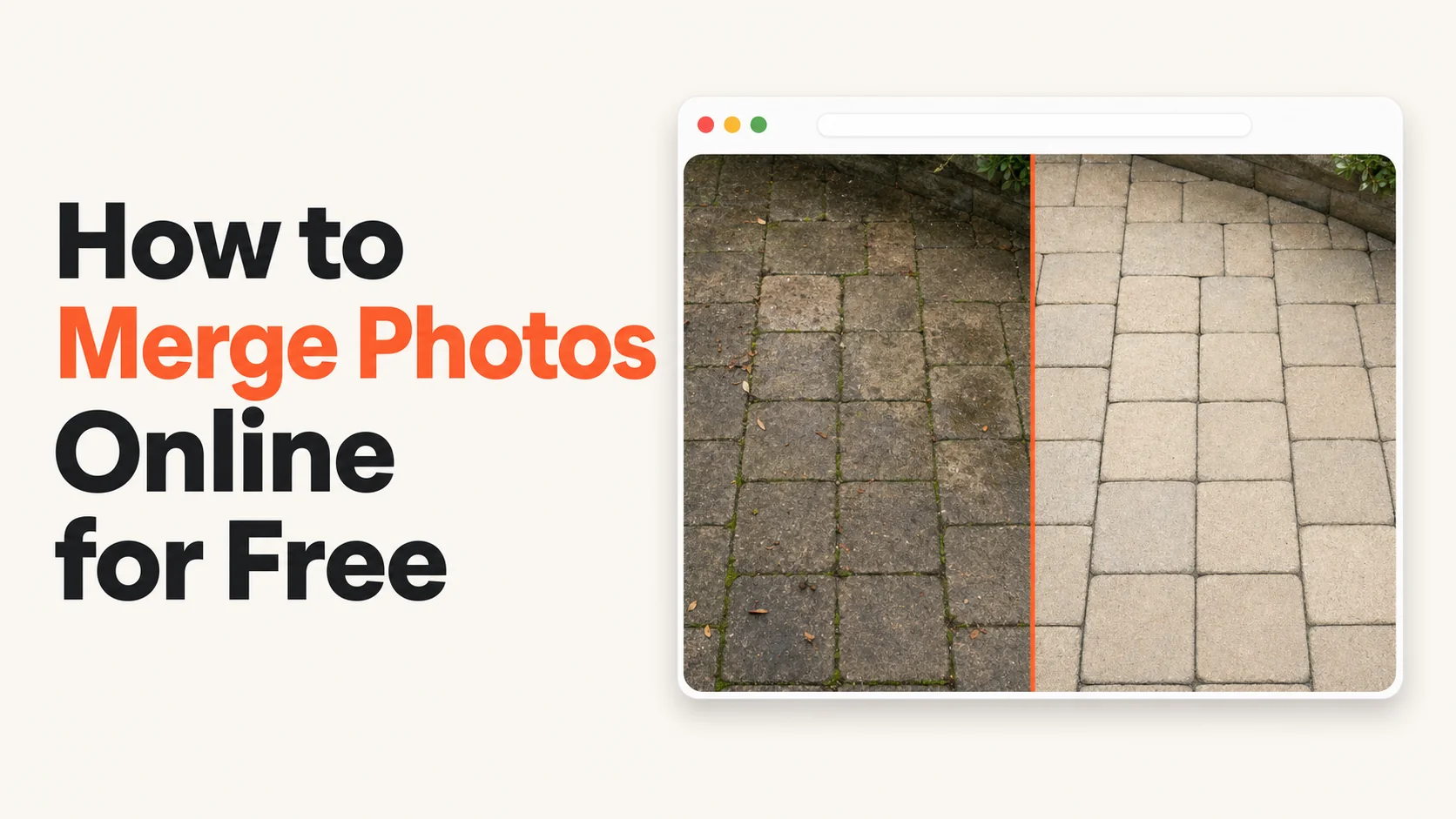
Three years ago I started searching for a way to merge photos online free. Not because I couldn't afford a tool. Because I'd already paid for Photoshop and I wanted something faster for the ten-second job of putting a before/after side by side. I tried six tools in a row. Two had watermarks. Two had signup walls. One was free but the UI hadn't been updated since 2015. One was actually free, but cluttered with ads. None were what I wanted. So I built one.
The 30-Second Answer
You can merge photos online free in three or four browser tools today without paying, signing up, or accepting a watermark on the result. The catch is that most of the "free" tools that show up first in search results aren't actually free at the export step — they capture your email, stamp their logo on the output, or push you into a paid subscription. The real free ones are quieter.
That's the whole picture. The rest of this article is the breakdown of which "free" tools are actually free, which ones aren't, and what to look for so you don't burn an hour figuring it out yourself.
 Real job from Top Care Cleaning (Grand Rapids, MI) — black algae streaks on a garage roof before, clean shingles after. Merged in a browser, no signup, no watermark, no email capture. About fifteen seconds end to end.
The Four Fake-Free Patterns That Show Up When You Search "Merge Photos Online Free"
If you've spent any time on the first page of Google for this query, you've already met all four of these. They are not malicious. They are revenue models. But "free" with a giant asterisk isn't really free.
Pattern 1: the watermark trap. Free to upload. Free to merge. Free to download. The result has the tool's logo stamped across the corner. Removing the watermark is what costs money — usually $7-15 a month for what should be a one-tap function. The pattern bothers me the most because the watermark goes on YOUR work, the photo of YOUR business's job, and travels with that photo every time it gets shared.
Pattern 2: the signup wall. Free to upload. Free to edit. Hit the Download button and a modal appears: "Enter your email to download." Then they email you. Then they keep emailing you. Then the unsubscribe link is one of those "we'll process your request within 10 days" emails that keeps the sequence running long enough to extract three more touches.
Pattern 3: the freemium-rate-limit. "First three merges free." Then a counter shows up. Then a paywall. You used the tool once to test, you forgot it existed, you came back six months later for a real job, and now the rate limit is in the way. The pattern works for the tool because most users don't notice the limit until they need the tool urgently.
Pattern 4: the ad-wall. Free in every sense — no watermark, no signup, no rate limit — but the page is wallpapered in display ads and one of them is a "Download" button designed to trick you. You click the wrong one, end up on a sketchy landing page, and your browser starts asking about notification permissions.
Each of these tools is genuinely useful for the people running them as a business. None of them are what you want when you're trying to merge photos online free on a Tuesday morning between jobs.
What "Actually Free" Looks Like
Here's the four-criteria test I use when evaluating a tool that claims to merge photos online free.
1. No signup. Open the URL, drag and drop, download. The whole flow happens without an account. If the first screen asks for an email, close the tab.
2. No watermark. The output should be your photo, full stop. No logo in the corner, no "Made with [Tool Name]" footer, no QR code overlay. Your photo, your business, your social media presence.
3. No rate limit on the free tier. "First three free" isn't free. "First N per day" usually isn't either, depending on N. The honest pattern is "unlimited merges, free, forever" — paid tier exists for premium features (branded watermarks you control, bulk operations, brand kit) but the basic merge is unlimited.
4. No deceptive UI. No "Download" button that's actually an ad. No "Pro" upsell modal blocking the export. No "Just sign up to keep your settings" nags. Clean, honest, get-out-of-the-way UI.
A small number of browser tools pass all four criteria. Hosted Snap is the one I built and use daily. But you don't need to use mine — the same criteria apply to any honest free tool. The four-criteria test is the test.
The Technique (Same in Every Tool)
Whichever tool you land on, the underlying technique to merge photos online free is the same. The tool is just which interface wraps it.
1. Match the orientation of the two source photos. Two portrait shots merge cleanly horizontal. Two landscape shots stack cleanly vertical. Mixing them looks crooked.
2. Upload to the tool. Most browser tools accept drag-and-drop or a file picker. If the tool requires you to upload them one at a time, just go with it — the second upload is fast.
3. Pick horizontal or vertical. Horizontal reads as comparison (before/after, Option A/Option B). Vertical works for Instagram Stories or when you need a tall output.
4. Pick spacing. A 4-8 pixel white gap between the two photos. Default is usually fine.
5. Download the result. Hit the export button. The file lands in your Downloads folder. No email capture, no watermark to remove.
The whole flow takes about ten seconds once you've done it twice. The first time will take twenty. The fifth time is muscle memory.
When "Online Free" Is the Right Choice (And When It Isn't)
Browser-based free tools are the right answer when:
- You're on someone else's computer and can't install software.
- You're on a phone and don't want to install another app.
- You need it to work cross-device (phone today, laptop tomorrow).
- You only need to merge two photos every few weeks and the volume doesn't justify a paid tool.
- You're a service business owner posting one before/after a day to your Google Business Profile and you need the workflow to be invisible.
Browser-based free tools are the wrong answer when:
- You're batching hundreds of pairs at once. Browser tools rarely support batch upload — you'd be doing 100 manual uploads instead of one batch action. Paid tier or desktop software wins for batch.
- You need consistent branding (logo, colors, watermark with your own logo) applied automatically to every export. Free tiers don't apply your brand kit. That's almost always a paid feature.
- You're on a poor internet connection. Browser tools depend on upload bandwidth. A native phone app (like the iPhone Shortcut for putting two pictures together on iPhone) processes locally and doesn't need the network.
For 90% of small-business use cases, browser tools win. For volume, batch, or branded output, paid tools or native apps win. Picking the right tool for the right job saves you the "this tool isn't doing what I need" frustration.
The Free Tools That Pass the Four-Criteria Test
I won't name competitors here. The patterns are easy enough to test yourself in five minutes per tool. Pick four to five candidates from a search for "merge photos online free." For each one:
- Try to upload two photos without signing up. Did it work?
- Hit Download. Did anything ask for an email?
- Open the exported file. Is there a watermark anywhere?
- Try a second merge ten minutes later. Did a rate limit appear?
If a tool passes all four checks, it's actually free. Bookmark it.
The tool I use day-to-day, because I built it for this exact problem, is Hosted Snap. It passes the four-criteria test by design. I'm not claiming it's the only one. I'm claiming the test is what matters, and that the result of running the test on the top-10 search results for "merge photos online free" is uncomfortable.
How a Cleaning Business Actually Uses Online Free Tools
Top Care Cleaning has been in my family since 1980. My dad and uncle started it; my brother and I run it now. Every visible-result job — pressure washing, gutters, roof cleaning, window cleaning, carpet, Christmas lights — produces a before/after pair somebody on the team needs to merge and post.
We post 30-40 of these a month across Google Business Profile, Facebook, and Instagram. The technique is identical across every platform. What changes is the destination size.
For Google Business Profile, we export at roughly 1200 × 900 (a 4:3 ratio that GBP renders cleanly). GBP is the single most underused social channel for service businesses — it sits at the top of local Maps results, it's where customers actually look, and most competitors don't post on it consistently. The full guidance for GBP post images is in Google Business Profile's own help.
For Instagram feed, we go 2160 × 2160 (square) or 2160 × 2700 (4:5 tall). Square works fine; tall takes up more screen real estate when someone scrolls and gets more attention.
For Facebook, 2048 × 1024 (2:1 horizontal) is the safe target. Facebook crops aggressively in the feed; the 2:1 ratio survives the crop.
The actual workflow on the truck or in the shop: tech shoots before, finishes job, shoots after, opens Chrome on phone, goes to bookmarked merge tool, uploads both, picks horizontal, downloads. Total non-cleaning time added to the job: about ninety seconds.
The compounding is enormous. At 30-40 pairs a month, the difference between a 90-second workflow and a 5-minute Photoshop workflow saves us about 2 hours of admin time per week. Over a year, that's roughly 100 hours of owner time — a month of full-time work — bought back from a free browser tool.
What About Quality?
The single biggest concern people raise about free online tools is quality. "Free" sometimes means "we downsampled your photo so you'd upgrade." Three quick tests to confirm a tool isn't degrading your output:
- Check the output dimensions against the input. If you uploaded two photos at 4032 × 3024 (a recent iPhone shot) and the merged output is under 4000 pixels wide, the tool downsampled. Real free tools preserve resolution.
- Save as JPEG, not PNG. Counterintuitive, but JPEG is the right format for photos. PNG is for transparency and gets aggressively compressed by some tools.
- Look at sharp edges in the output. Compression artifacts show up first along edges — text, windows, roof lines. Ringing or fuzziness means heavy compression.
Hosted Snap exports at the lower of your highest-resolution input or your chosen output size, with no extra JPEG compression on top. If a tool's free output is significantly lower-resolution than your input, it's leveraging quality to push you to paid.
The Free vs. Paid Question (For Owners)
Here's the honest tradeoff for a small-business owner who's reading "merge photos online free" articles.
Free is the right call if you're posting one before/after a day and the basic merge is all you need. You don't need a brand kit. You don't need batch processing. You don't need a custom watermark. You need ten seconds, twice a day. Free wins.
Paid is the right call when one of three things is true:
- You're posting multiple pairs per day and the time savings from batch upload pay for the tool in your first week.
- You're posting to multiple platforms where consistent branding matters (your logo in the corner of every export so your brand travels when customers share it).
- You're running multiple businesses or multiple brands and you need to keep different brand kits straight.
For 80% of local service businesses, free is fine. For the other 20%, paid tools earn their cost back in the first month. Most operators I know assume they need the paid tool and end up using only the free features anyway. Start free. Upgrade when you actually hit the limit.
FAQ
Is there a way to merge photos online free with no watermark?
Yes — several browser tools offer genuinely watermark-free free tiers. The four-criteria test (no signup, no watermark, no rate limit, no deceptive UI) is how you tell them apart from the fake-free ones. Run the test on whatever tool comes up first in your search.
Will I lose quality merging photos in a browser tool?
Slightly, due to JPEG re-compression. The loss is usually invisible on phone screens and social media. Some free tools downsample aggressively to push you toward paid tiers; the honest ones preserve resolution. See the quality-test section above.
Can I merge more than two photos online for free?
Yes — most tools that merge two also handle 3-6 photos in a grid. Past 6, you're in collage territory. For two-photo before/after work, stay with the two-photo flow. For more, the rules shift toward collage tools.
Do I need to install anything?
No. That's the whole point of "merge photos online free." A browser is all you need — Chrome, Safari, Firefox, Edge, anything modern. Works on iPhone, Android, Mac, PC, Chromebook, tablet. Same URL, same workflow.
Is the same workflow available on iPhone and Android natively?
iPhone has Shortcuts with a Combine Images action — see how to put two pictures together on iPhone. Android depends on the manufacturer — see how to combine photos on Android. The browser path is the universal answer.
What about offline use?
Browser tools require an internet connection. If you regularly merge photos offline, a native app or an iOS Shortcut is the right path. The full app review is in photo combiner app. For everyone else, the online trade is fine.
Can I add my logo to the merged photo?
On free tiers, usually no — that's a paid feature. The mechanic is called a "brand kit" — set your logo and colors once, every export inherits them. Paid tier of Hosted Snap does this. Free tier exports your photo without any branding (yours or anyone else's).
Will the output match the dimensions Instagram or Facebook expect?
Most browser tools let you pick a destination size before export — Instagram, Facebook, GBP, Twitter, print. Pick the destination first and the tool crops and resizes as part of the export. Saves you a second round of work.
Try Hosted Snap (Free, No Account, No Watermark)
I built Hosted Snap because every "merge photos online free" tool I tried failed at least one of the four criteria above. The free tier passes all four — no signup, no watermark, no rate limit, no deceptive UI. Upload two photos, pick horizontal or vertical, download. Paid tier exists for branded watermarks (your logo, not mine), brand kits, and bulk operations — the things businesses actually pay for. The basic merge is free forever.
If you run a local service business, pair Snap with Hosted Proof for the next step — getting the merged photo onto Instagram, Facebook, and your Google Business Profile on a schedule that doesn't burn your evenings.
About the author
Alex Host is the founder of Hosted Brands and the operator of Top Care Cleaning, a residential and commercial cleaning business his father and uncle founded in Grand Rapids, Michigan in 1980. He spent three years trying free online photo tools and a Photoshop subscription before realizing the gap in the market and building Hosted Snap to fill it. He builds software tools for local service businesses because every off-the-shelf option was either built for companies ten times his size or priced like one. He's building the whole Hosted Stack in public.