I downloaded eight photo combiner apps in 2024 trying to find one I'd actually pay for. Two of them stamped a watermark across every export. Three asked for an email before letting me download. One had a "free" tier that capped at three merges per week. One was actually free and watermark-free, but the UI hadn't been updated since 2018. The eighth was a $14.99/month subscription for what should be a one-tap function. After all that I went back to a browser tool. Then I built mine.
The 30-Second Answer
A photo combiner app should do one job — combine two photos into one — and do it without making you sign up, sit through ads, or accept a watermark on your own work. The honest test: open the app, merge two photos, export. If any step asks for an email, runs an ad, stamps a logo, or shows a paywall, the app fails. Most fail.
That's the whole standard. The rest of this article is the breakdown of why the photo combiner app category is the way it is, and how to find one that actually meets the bar.
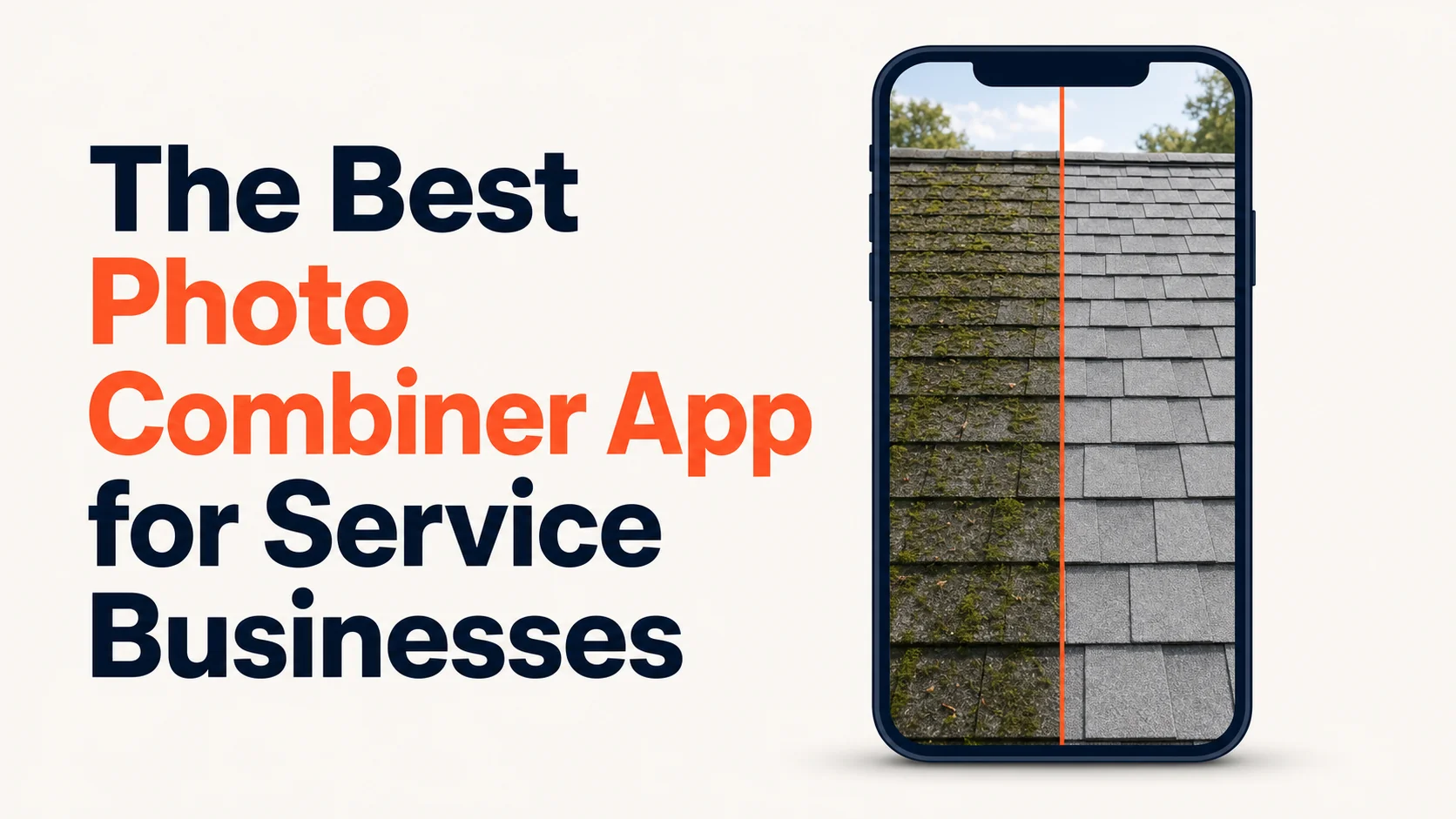
 Real job from Top Care Cleaning (Grand Rapids, MI) — heavy algae staining before, clean shingles after. An honest photo combiner app should produce a result like this in one tap, no signup, no watermark, no upsell wall.
Why the Photo Combiner App Category Is Broken
The photo-combining job is fundamentally simple. Upload two photos, decide horizontal or vertical, export. The actual code that does the merge is maybe 50 lines in any modern image library. Apple ships this as a built-in Shortcuts action on every iPhone. Samsung ships it in Gallery on every Galaxy phone. There is no technical reason a photo combiner app should cost $14.99 a month or be wallpapered in display ads.
But the App Store and Play Store economics push every photo combiner app toward the same business model. The developer gets a small share of installs as paying users. To convert installs to dollars, the app either (a) gates the export behind a signup or rate limit, (b) shows ads aggressively, or (c) charges a recurring subscription for what should be a one-time tap.
The result is a category dominated by tools whose UX is built around the conversion funnel, not the user's job. Every photo combiner app you download fights you a little on the way to the export button. Some fight you a lot.
I'm not blaming the developers. The economics force the pattern. I'm pointing out that you, the user, have to navigate the pattern, and the way to navigate it is to know what an honest photo combiner app looks like so you can spot one when you see it.
The Five Anti-Patterns to Recognize
After downloading eight photo combiner apps myself plus reading another twenty App Store and Play Store reviews, I can classify almost every photo combiner app you'll find into one or more of these five anti-patterns.
The watermark trap. Free to use, free to export, watermarked on the way out. The app's logo sits in the corner of your photo. Removing the watermark costs $4.99 one-time or $2.99/month. Your photo, your business; their brand.
The signup wall. Free to install. Free to merge. Hit "Export" and a modal appears: "Sign in with Google or enter your email to download." Then they email you. Then they keep emailing you, even after unsubscribe.
The freemium rate-limit. "First three merges free." Then a counter shows up. Then a paywall. Six months later you come back for a real job, you've forgotten the limit existed, and the paywall is in the way during the one moment you needed the tool.
The ad-wall. Genuinely free in every accounting sense — no watermark, no signup, no rate limit. But every action triggers a full-screen interstitial ad. Open the app, ad. Tap merge, ad. Tap export, ad. By the time you're done, you've seen four ads for mobile games and gambling apps you didn't ask for.
The influencer-tool-priced-for-influencers. A photo combiner app charging $14.99/month or $99/year. Built for content creators with sponsor income; priced like it. There's no technical reason combining two photos should cost $179 a year. The only reason it does is that influencers will pay.
Almost every photo combiner app you'll find in the App Store or Play Store fits at least one of these. The honest ones are out there but they're quieter and they don't dominate the search results.
What an Honest Photo Combiner App Actually Looks Like
The four-criteria test for an honest photo combiner app:
1. No signup on the free tier. Open the app or browser tool, do the job, get the result. No email required, no Google sign-in required, no "create a free account" wall.
2. No watermark on free output. Your photo is exported without anyone's logo on it — yours or the tool's. Paid tier can add YOUR watermark (your logo, your colors). Free tier exports clean.
3. No rate limit hidden in the free tier. "Unlimited merges, free, forever" is the honest pattern. "First three free" or "five per day" isn't really free; it's a trial.
4. No deceptive UI or ad walls. Clean, get-out-of-the-way interface. The download button is a download button, not a disguised ad. No interstitial ads between you and your photo.
A small number of photo combiner apps and browser tools pass all four. Most don't. Hosted Snap is the browser tool I built around these four criteria. The four criteria are what matters; the tool is just the implementation.
Why I Built a Browser Tool Instead of a Native App
When I sat down to build something that combined two photos cleanly, I had to pick: native iOS/Android app or browser tool. I went with browser. Three reasons.
Cross-device by default. Same URL works on iPhone, Android, iPad, laptop, Chromebook. No "install on each device separately." No mismatched versions across the household or the team. The same workflow at the truck on Android in the morning and at the laptop on macOS at night.
No app store gatekeeping. App Store and Play Store both impose review timelines and policy constraints that don't fit a tool designed to stay free and watermark-free. App Store guidelines explicitly require "in-app purchase for premium functionality" in many categories (Apple App Store Review Guidelines), which puts pressure on free-tier scope.
No install friction. The single biggest drop-off in a tool like this is "should I install another app for this one job?" Most users say no. A browser tool has zero install friction — open the URL, do the job, leave.
If you want native, the cleanest path on iPhone is the built-in Shortcuts app — see how to put two pictures together on iPhone for the one-time setup that gives you a one-tap merge from the share sheet forever. On Android, Samsung Gallery is native and free for Galaxy users — see how to combine photos on Android for the breakdown by manufacturer.
For everyone else, a browser tool is the path of least resistance.
The Technique a Good Photo Combiner App Should Use
Whichever photo combiner app you end up with, it should follow the universal five-step technique. If it doesn't, it's not optimized for the job.
1. Match orientation. Two portrait shots merge cleanly horizontal. Two landscape shots stack cleanly vertical. The app should warn or auto-crop if you mix orientations.
2. Pick horizontal or vertical. Two options, big buttons, no menu diving.
3. Pick spacing. A 4-8 pixel white gap between the two photos. Default should be fine; advanced users can adjust.
4. Optionally match exposure. A one-tap auto-balance for when one photo is bright and one is dark. Not every app has this; the good ones do.
5. Pick destination size. Instagram, Facebook, GBP, Twitter — let the user pick before export so the output is the right size.
A photo combiner app that hides these five steps behind nine menu screens is over-engineered. A photo combiner app that exposes them all on one screen is well-designed.
What a Photo Combiner App Costs (Honestly)
The honest pricing for a photo combiner app, in 2026, looks like this:
Free tier: unlimited basic merges, no watermark, no signup. This is the bar. Anyone below it is using "free" as a marketing term, not as a real pricing tier.
Paid tier: $5-15/month or $50-150/year for genuine differentiation. What you should be paying for, if you pay at all:
- Branded watermark (your logo, your colors) applied automatically to every export. The single highest-leverage paid feature for a business.
- Brand kit — saved colors, fonts, logo placement. Set once, every export inherits.
- Bulk upload and batch processing. Process 20 pairs in one upload.
- Direct social posting (this is usually a separate tool — see Hosted Proof for the scheduling/posting side).
- Multiple brand profiles for multi-business operators.
- Higher resolution caps for print work.
Paying $14.99/month for a photo combiner app that does nothing more than what the free tier should do is the pattern that broke the category. Don't fund it.
If you're a multi-tech service business posting 30-40 pairs a month with consistent branding, the paid tier of an honest tool earns its $10-15/month back in the time saved vs. manually applying logos and resizing. If you're a homeowner combining one before/after a month, paid tier isn't worth it. Free is the right call.
How a Service Business Should Pick a Photo Combiner App
Top Care Cleaning has been in my family since 1980. We've been through about a dozen photo combiner apps and browser tools over the years before settling on the workflow that survived contact with real techs in the field.
Three things matter more than any single app feature:
1. Cross-device consistency. Half our techs are on iPhone, the other half on Android (mix of Samsung and Pixel). If the app only works on one platform, we're maintaining two workflows and double the training time. Browser tools win this category by default.
2. Bookmark-able / home-screen-able. The app needs to be one tap from the home screen with no login between taps. Native apps win this technically; browser tools win it once you add the page to the home screen via Chrome or Safari (three taps, both platforms).
3. Survival across phone replacements. When a tech replaces their phone every 2-3 years, the workflow shouldn't require re-installation, re-configuration, or re-paying. Browser tools and free tools win.
We ended up using a browser tool with a home-screen shortcut on each tech's phone. Same workflow regardless of which phone the tech is holding. Same URL, same buttons, same export format. The training is twenty seconds per tech.
If you run a multi-tech operation, this is the model. If you're a solo owner-operator, you've got more flexibility — native apps and Shortcuts work just fine when you're the only user.
The next problem is what to do with all these merged photos — captions, scheduling, cross-posting to GBP and Facebook and Instagram without doing it three times. That's a different tool, and it's Hosted Proof. Snap (the combiner) makes the photo. Proof posts it on a schedule.
What to Do If Your Current Photo Combiner App Has a Watermark
If you're already using a photo combiner app that watermarks your free exports, three options:
1. Pay the unlock fee if it's a one-time payment and the app is otherwise good. Less common than it used to be.
2. Switch to a tool that's free without the watermark. Run the four-criteria test on a few candidates. The ones that pass don't have a watermark in the first place. Free trials of these don't expire because the free tier itself is the long-term answer.
3. Strip the watermark in post. Not really. The watermark is in the pixels of the exported image. Removing it cleanly without leaving artifacts is hard, and it likely violates the tool's terms of service. Don't bother; just switch tools.
FAQ
What's the best photo combiner app for iPhone?
For pure native, the built-in Shortcuts app with the Combine Images action. Free, no install, no signup. For cross-device, a browser tool (Chrome or Safari) wins by default. The full iPhone-specific breakdown is in how to put two pictures together on iPhone.
What's the best photo combiner app for Android?
Depends on the phone. Samsung Galaxy users have a strong native option in Samsung Gallery. Pixel users have Google Photos' Collage feature. Everyone else, browser tool. See how to combine photos on Android for the per-manufacturer breakdown.
Are there photo combiner apps that work offline?
Yes — native apps (including the built-in iPhone Shortcuts and Samsung Gallery) process locally and work without an internet connection. Browser tools require a connection. If you regularly work offline, native is the right path.
Can I combine more than two photos in a photo combiner app?
Most photo combiner apps support 3-6 photos in a grid. Past 6, you're into collage territory, which is a different category of tool. For pure two-photo work, the two-photo flow is faster and cleaner than forcing it into a grid template.
What about quality?
Free tiers of many photo combiner apps downsample aggressively to push you toward paid tiers. An honest tool preserves your input resolution. Test by comparing the dimensions of your output to your input — full breakdown in merge photos online free.
Is there a photo combiner app that adds my logo automatically?
Yes, but it's a paid feature in almost every tool. The mechanic is called a "brand kit" — set your logo and colors once, every export gets the watermark applied automatically. Paid tier of Hosted Snap does this. Free tier exports clean (no logo at all).
Can a photo combiner app post directly to Instagram or Facebook?
Most can't, or do it badly. Posting is a separate job — captions, scheduling, hashtags, cross-posting to multiple platforms. The combining tool should combine. The posting tool should post. They work better as two focused tools than as one bloated app. Hosted Proof handles the posting side.
How do I combine two photos into one without an app at all?
Browser tools. No install, no signup if you pick the right one, no watermark on the right ones. Full breakdown in combine two photos into one and merge photos online free.
Try Hosted Snap (Free, No Account, No Watermark, Browser-Based)
I built Hosted Snap because every photo combiner app I tried failed at least one of the four criteria above. The free tier passes all four — no signup, no watermark, no rate limit, no ads. Upload two photos, pick horizontal or vertical, download. Paid tier exists for branded watermarks (your logo, not mine), brand kits, and bulk operations — the things businesses actually pay for. The basic merge is free forever.
If you run a local service business, pair Snap with Hosted Proof for the next step — getting the merged photo onto Instagram, Facebook, and your Google Business Profile on a schedule that doesn't burn your evenings.
About the author
Alex Host is the founder of Hosted Brands and the operator of Top Care Cleaning, a residential and commercial cleaning business his father and uncle founded in Grand Rapids, Michigan in 1980. He downloaded eight different photo combiner apps trying to find one that didn't watermark, didn't gate behind a signup, didn't run interstitial ads, and didn't charge influencer-tier subscriptions for a one-tap function. None of them met the bar, so he built one that does. He's building the whole Hosted Stack in public.